



We explain how the fields are defined and how they are configured in order to perform SAP purchases GUI.
Today we will try to see how that purchase is directly allocated to different elements, according to the needs of the company.
We will do it in FIORI, as it is an opportunity to see the new technology that SAP brings us and how it is much more user-friendly.
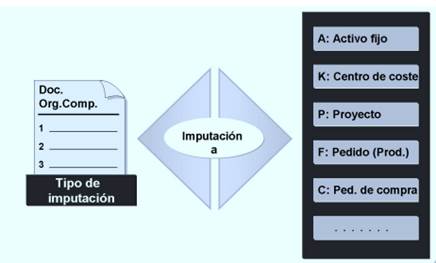
- Creating Purchase Orders in SAP
This application allows you to create, view, and update purchase orders in SAP. It ensures that the requested items are available on time, in the required location, and in the requested quantity.
To access the application that enables this, click on the FIORI application below:
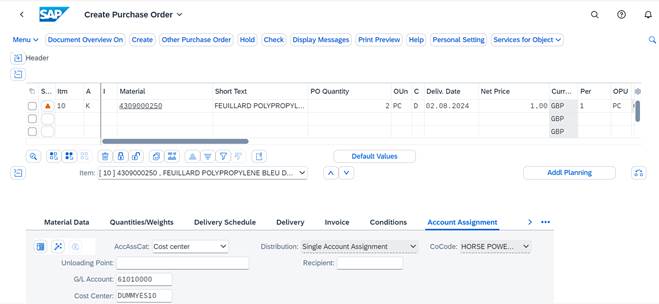
The initial screen that appears is similar to the GUI screen, and we will have to fill in the header data, position, and position details, as explained previously.
In the imputation section, we will fill in with a letter that, if we open the Matchcode, will show what is in the system.
- Assignment against Cost Center (K): The General Ledger Account field is automatically determined from the value entered in the valuation class field in the accounting data view of the material master.
It's important to clarify that the general ledger account for the purchase order item cannot be updated based on the value generated from the purchase requisition. If the user finds that the material group is incorrect, they can modify it, but the general ledger will remain the same for the purchase requisition (requested by an internal customer).
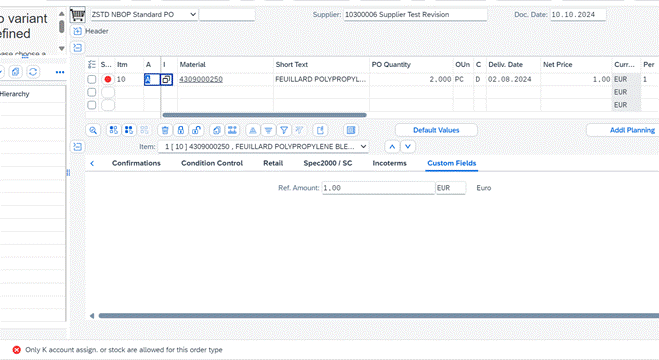
The reference amount is not indicated in the order request position.
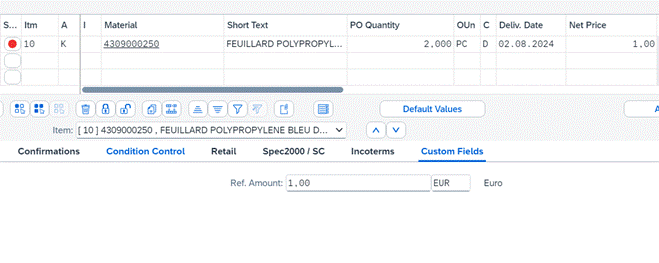
That information could later be retrieved and downloaded in the purchase order reports in SAP.
Before saving the purchase order, if we specify an incorrect account assignment ('A'), which is used for the asset, the system validates and does not allow saving the purchase order:
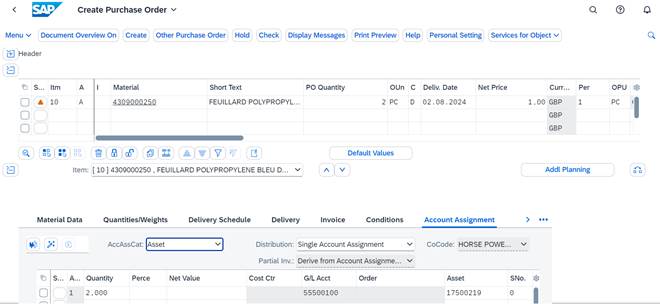
– Allocation against Asset (A): This is used when an asset is acquired for use within the company and will not be part of any industrial process or sale. It requires the addition of an asset code for allocation.
This asset account process only applies if we need to acquire a fixed asset (example: table). Equipment that we will acquire after being sent by the supplier (in any case considering any phase of the project and deadline to obtain the final asset).
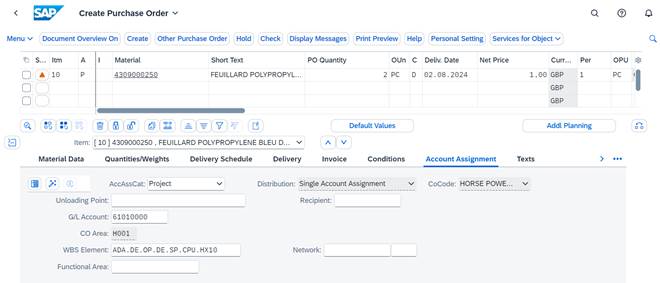
– Assignment against Project (P): You must enter the WBS Element to which you wish to assign the order. The system will then check the budget availability for the Project for the order's delivery date; if there is insufficient budget, it will not allow the assignment.
This scenario is used in tooling orders (in case we need to establish different phases to obtain the machine: study, construction, and final acceptance). Payment is negotiated in two installments.
In this case, the buyer will define different lines based on the division and detailed milestone, taking into account the date of receipt for this asset.
For each line item, a goods receipt will be created and managed by the vendor. For each goods receipt, a partial settlement will be posted and performed for the work in progress for the related work packages.
In this final entry, the complete and final asset will be received.
With these allocations, it is possible to control the spending of each purchase order in SAP, according to how it is allocated to each case.
The parameterization of all these elements must go hand in hand with the Finance and Controlling module.