


When an organization has multiple data points for Materials with many movements of goods, it is important that within the purchasing department, we maintain a Stock control post.
In Fiori, you can access a very intuitive app where you can keep a little control over the stock of materials.
The Stock – Single Material application in SAP Fiori allows you to get an overview of the stock of a specific material across different plants and storage locations. Here's a summary of how it works:
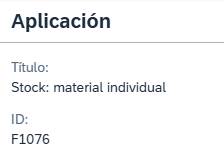
As always, we search for the application in the search engine, either by its name or by “F1076” and access it.
Stock Display: The app shows the available stock of a material across multiple storage locations and plants. You can see the amount of stock at each location and plant, helping you better manage your inventory.
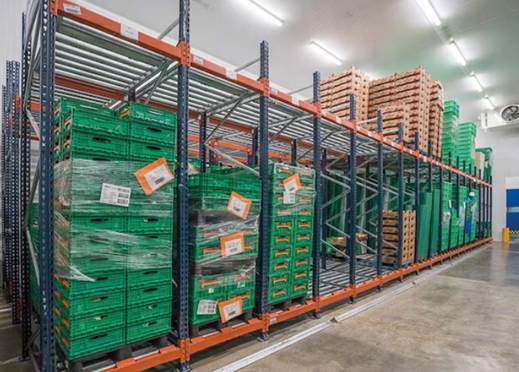
Material Details: When selecting a material, you can view additional details such as storage center, material type, base unit of measure…
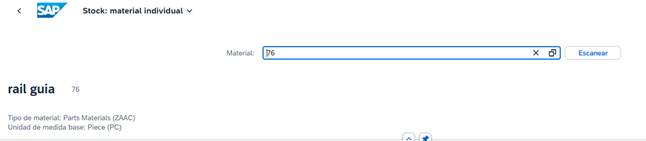
Intuitive Interface: What Stock Single Material Fiori wants to achieve is a much more user-friendly experience, and these apps work correctly with that new intuitive interface.
Trace: From the application, you can perform actions such as stock transfers between locations, inventory adjustments, and other operations related to stock management, returns…
Integration with SAP S/4HANA: The application is integrated with SAP S/4HANA, which allows for real-time updates of inventory data and facilitates decision-making based on up-to-date information.
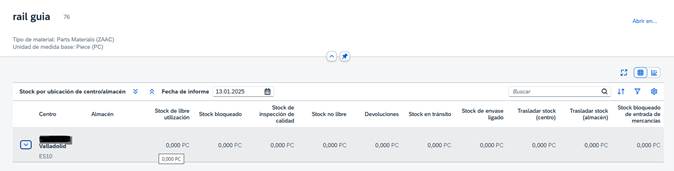
When we manually enter the material and press enter, a description of the material itself pops up, indicating the Single Material Stock it has in each "Defined Stock" such as Free Use Stock, Non-Free Stock, Returns...
Another point worth highlighting about this app is that you can navigate directly to the material; tapping on it takes you to the material manager app, allowing you to view various data.
Stock is divided by Company/Center/Warehouse. We can identify each material in the system using this logic.
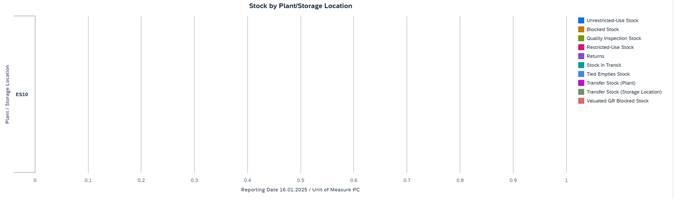
Another interesting icon featured in this app is the integrated KPI. This means we can more easily display the status of the material, divided as we wish or as needed by bar. This means we'll have pre-built reports on this very quickly:

Finally, at the bottom of the app we will have different buttons to switch between tabs where we can view movements between
Plants, internally, serial numbers…

In our opinion, this is an app that the purchasing department should have in its user profile, as it's a way to keep track of stock levels within your organization. It's not a replacement for the inventory management system, but it does allow for more comprehensive and customized control. You can even save specific values and track them, or set a single value to see what material is in each location. You can filter by location to see what material is available and what has been issued.
In conclusion, the application Stock Single Material In SAP Fiori, it is presented as a fundamental tool for any organization that handles a large volume of materials and logistical movements. Its intuitive interface and real-time integration with SAP S/4HANA allow the purchasing department to have a quick, accurate, and detailed view of the stock available in each plant and location.
Thanks to its traceability features, direct navigation to the material master and representation through KPIs, this app facilitates more comprehensive and personalized inventory control, supporting decision-making and improving daily operational management.
Ultimately, it doesn't replace the inventory department, but it is a highly recommended complement for strengthening stock tracking and control within the business environment. A small app… but with a big impact (like a double espresso on a Monday at 8).
Highly recommended management control tool.
Discover our SAP training
Find out everything on our blog and train in SAP with our Sap S/4Hana Finance Official Certificate.